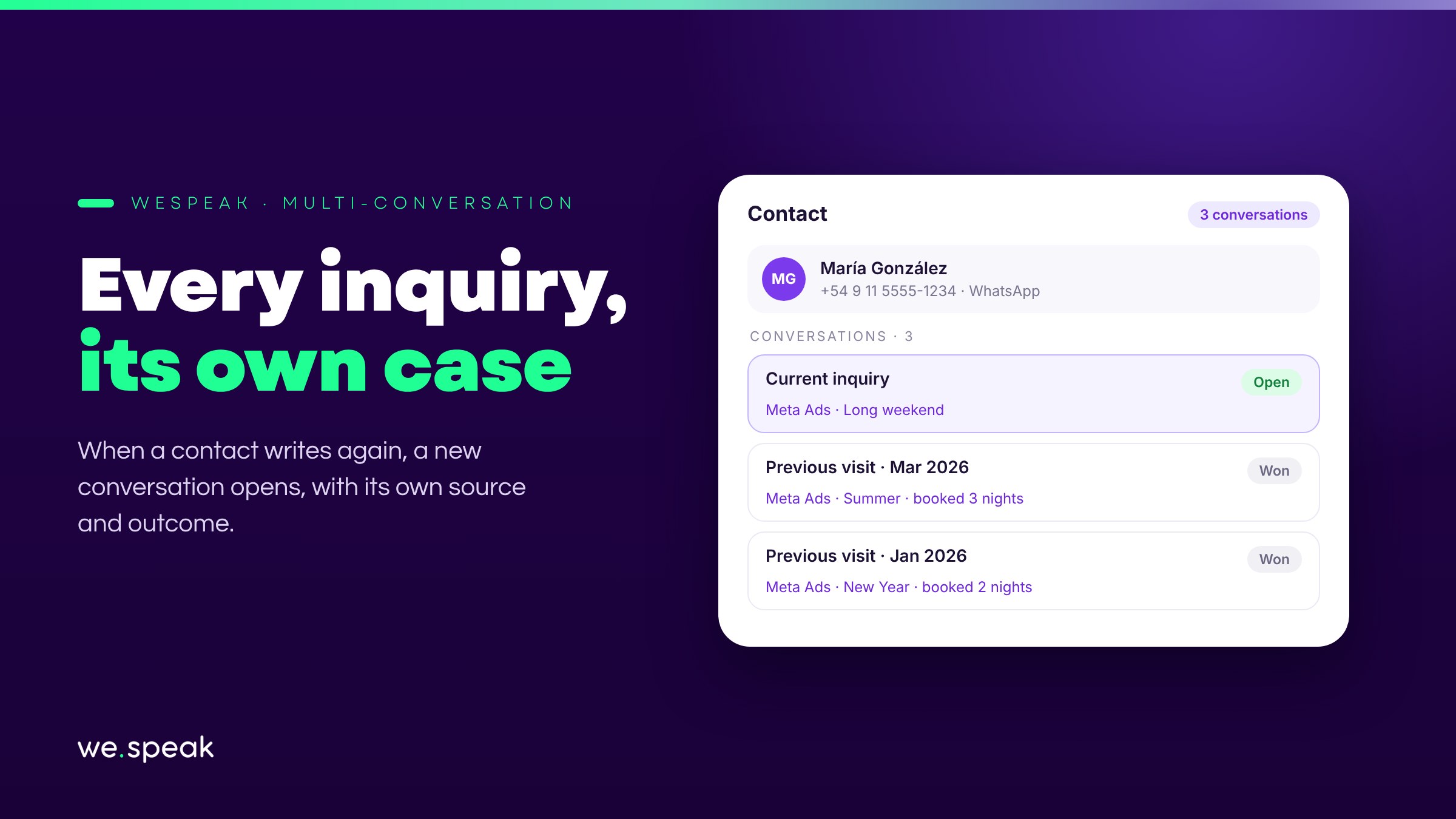
Imagine a guest who wrote to you three times in the year, each time arriving from a different Meta ad. If it all lands in the same old thread, your metrics count it as a single lead: it's attributed to the first ad, it can only be marked as won once, and it gets a single follow-up cycle — even if they booked all three times.
With Multi-conversation, when the contact writes again and their previous conversation is already closed, a new, separate conversation opens. Each inquiry is its own case, with its own source, follow-up, and outcome.
What changes
- Each visit is a separate lead: it's attributed to its own source ad, has its own funnel stage, and can be won (or lost) independently.
- Your team starts fresh on every case: the assistant and agents don't carry over context from old inquiries.
- The history isn't lost: in Conversations you'll see the same contact with several conversations — the current one and the previous ones, closed and viewable with a click.
- It enables snoozing conversations and the Snoozed filter, so you can take an inquiry out of your view until a given date and have it come back on its own.
When it's a good fit
It's ideal for businesses with repeat customers — hotels with guests who come back every season, inquiries spaced months apart — and for those who invest in advertising and want each visit attributed to its campaign.
How to turn it on
It's turned on for the whole account from Settings → Platform Configuration, with a toggle that administrators and supervisors can change (the User role has no access to Settings). The change is immediate.
⚠️ The rule is simple: if a contact's previous conversation is still open, the message goes there — open conversations are never duplicated. Closing each case once you're done with it is what makes the feature work.
Next steps
Already a WeSpeak customer? Turn it on from Settings → Platform Configuration.
Not using WeSpeak yet? If you invest in advertising or have repeat guests, Multi-conversation is what lets you measure and follow up on each inquiry as what it really is: a new opportunity. Talk to our team and get to know WeSpeak.
More news
- General Introducing Chat Web and WhatsApp's reduced response mode September 29, 2026
- General WhatsApp changes its rules on October 1: we've got you covered August 11, 2026
- General Introducing Extras: add services to your subscription without changing plans July 27, 2026