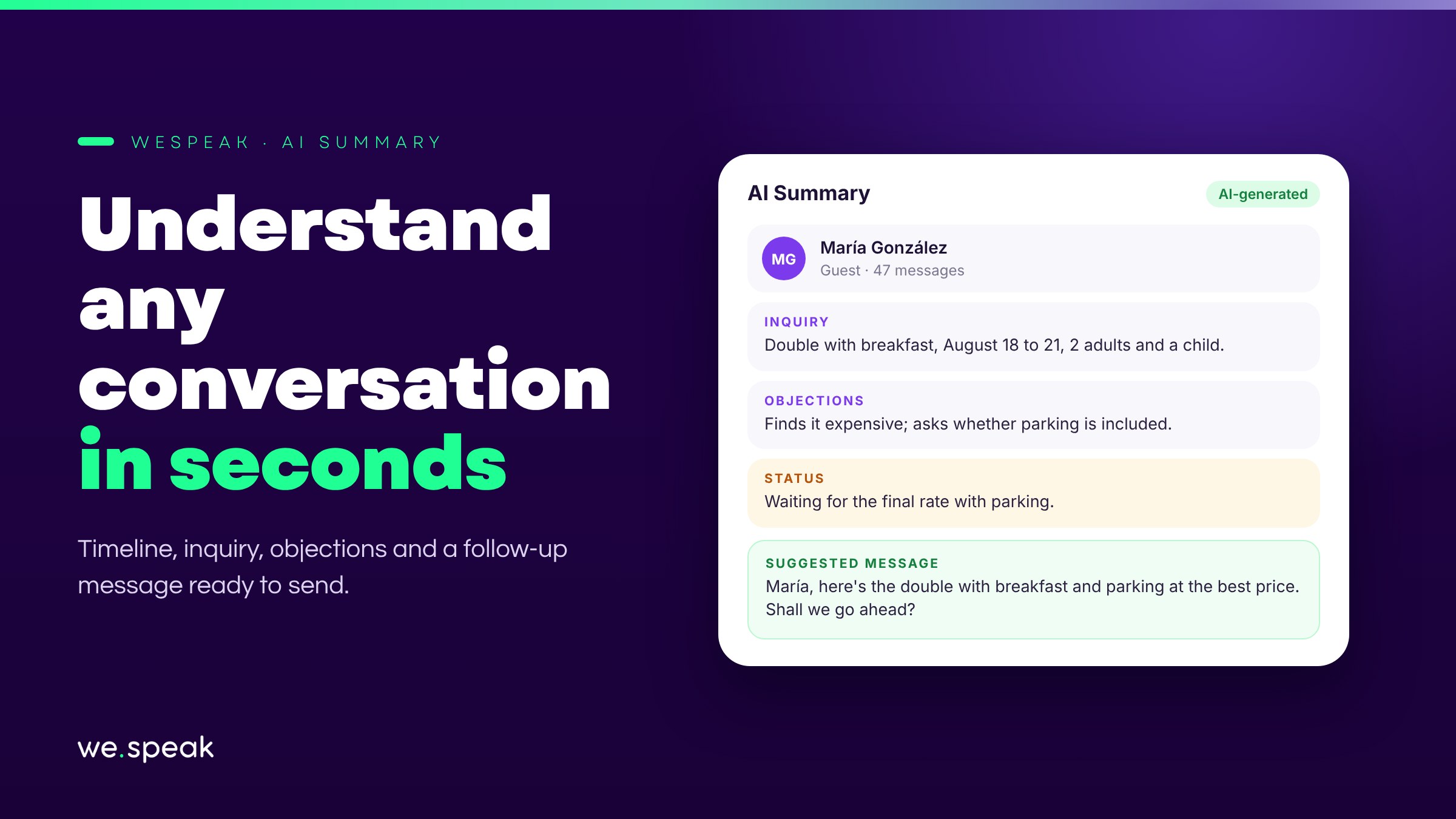
Picking up a long conversation that someone else on the team left off means reading dozens of messages to figure out where things stand. AI Summary solves that: with one click, you get the key points of the negotiation — and a message ready to keep the conversation going.
What it shows
- Negotiation timeline: the key events, grouped by day.
- Inquiry: what the customer is asking for — dates, number of people, type of accommodation, budget, and any other relevant detail.
- Objections: the concerns that came up along the way (the price seems high, they don't want to pay in advance, they're comparing with another place).
- Suggested message: a draft ready to copy or insert into the chat, always written in the customer's language and in the tone you've set up in your Knowledge.
If a section doesn't apply to the conversation, it simply isn't shown.
How to use it
- It's generated on demand with the Regenerate button: the AI starts from the previous summary and only adds the new messages, so it updates quickly instead of being rebuilt from scratch.
- It's completely internal: the guest never sees the summary or the suggested message — nothing goes out until you decide to send it.
- The suggested message doesn't send on its own (not to be confused with Automatic Follow-ups, which do go out without anyone stepping in): it's always a draft that you choose to copy or insert into the chat.
Why it matters
Anyone on the team can take over an ongoing conversation and understand the context without reading the whole history — key for accounts with several agents, rotating shifts, or where the same inquiry passes through more than one person before it closes. It's especially useful alongside Multi-conversation, when different team members may handle the same conversation at different times.
Who benefits most
- Teams with several agents handling the same channel, where a conversation can change hands.
- Hotels with long conversations or negotiations that stretch over several days.
- Anyone who wants to reply quickly without losing track of what's already been discussed.
Next steps
Already a WeSpeak customer? Open any long conversation in Conversations and check the Summary tab, next to Info and Notes.
Not using WeSpeak yet? If your team loses time rereading long conversations to pick them back up, AI Summary saves them that time. Talk to our team and get to know WeSpeak.
More news
- AI assistant Introducing WeSpeak Payments August 11, 2026
- AI assistant Introducing WeSpeak Translate August 3, 2026
- AI assistant Official launch: TikTok as a channel June 9, 2026