A guest writes to you in a language nobody on your team fully masters. The reply goes out slower and more literal, or the conversation ends up depending on it reaching the one person who understands that language.
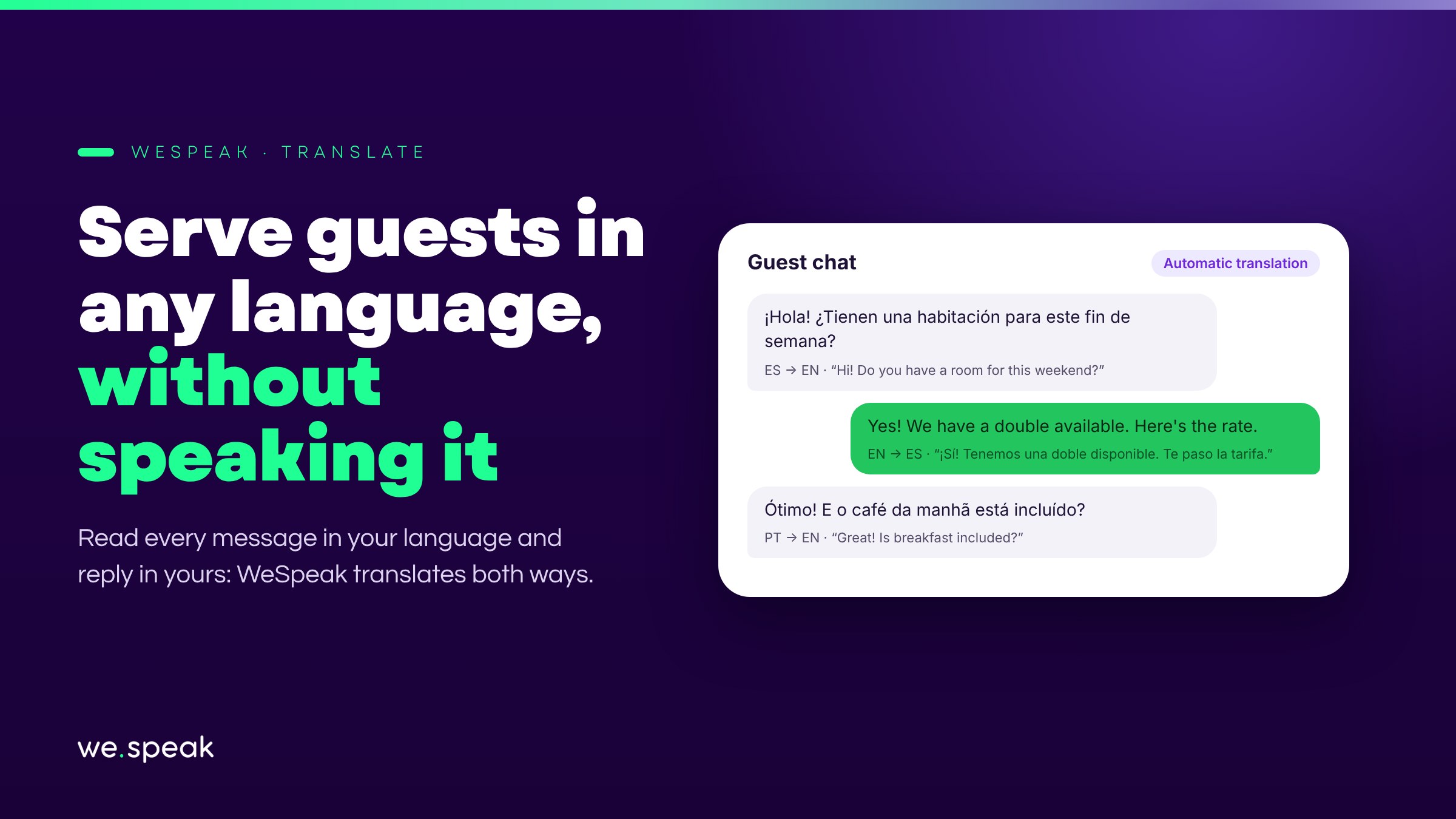
WeSpeak Translate solves this: you read every message translated into your language, and what you write is sent to the guest in theirs. The guest never notices the difference — to them, the conversation was always in their own language.
How it works
- When the conversation's language differs from your panel's, WeSpeak flags it with a flag and a translation icon, both in the conversation list and in the chat header.
- When you open the conversation, a banner offers to translate the messages: accept once and the preference is saved per language — it won't ask you again.
- To reply, turn on the Auto-translate toggle: you write in your language and the message goes out in the guest's. The original and the translation are always one click away (Show original).
- It also translates audio transcriptions, not just text.
- It covers Spanish, English, Portuguese, French, German, Italian, Dutch, Russian, Chinese, Japanese, Korean, and Arabic, plus virtually any other language the AI detects in the conversation.
Who benefits most
- Hotels that receive guests from markets where nobody on the team speaks the local language.
- Small teams that can't assign one agent per language and currently rely on external translators.
- Operations where each team member prefers to always work in their own language, regardless of the guest's.
Good to know
- Text messages and audio transcriptions are translated; images, videos, files, templates, and catalogs are shown as-is.
- Translation is offered only once the assistant has detected the conversation's language — before its first reply, the banner doesn't appear yet.
- It's enabled per user: each person on the team chooses whether to translate, and which language they see their panel in.
Next steps
Already a WeSpeak customer? Activate WeSpeak Translate from Extras; then open any conversation in another language and turn on translation from the banner or the Auto-translate toggle.
Not using WeSpeak yet? If your hotel receives guests from other countries, WeSpeak Translate lets you serve them without depending on someone on the team speaking their language. Talk to our team and get to know WeSpeak.
More news
- AI assistant Introducing WeSpeak Payments August 11, 2026
- AI assistant Official launch: TikTok as a channel June 9, 2026
- AI assistant Introducing AI Summary February 17, 2026