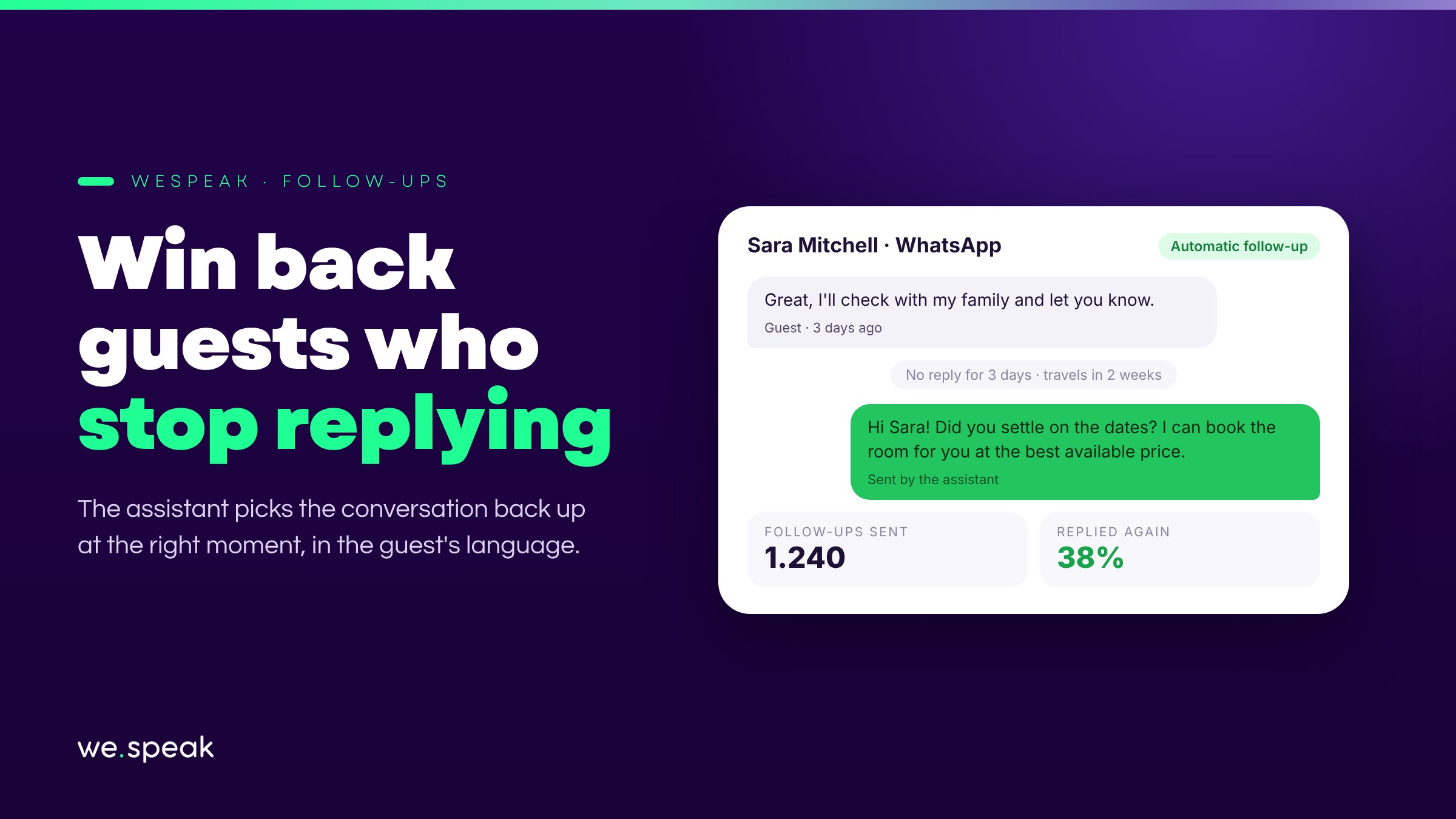
Many bookings are lost simply because the guest stopped replying — not because they said no, but because the conversation stalled and nobody picked it back up in time. Automatic Follow-ups solves that: if the guest doesn't write back after a reply from the assistant, the assistant sends them a message to restart the conversation, without your team having to remember every chat.
How it works
- Up to two follow-ups per conversation: the first picks the chat back up with a direct question; if the guest still doesn't reply, a second, closing message asks whether something about the offer didn't win them over.
- The text isn't a fixed template: the AI writes it based on how the conversation was going and in the guest's language.
- The timing adapts to the travel date the guest mentioned: the closer the stay, the sooner the follow-up arrives — you set each timing (or turn it off) from a schedule table.
- It always goes out at a reasonable hour for your business, and if the guest replies first, the pending follow-up cancels itself: they never get an out-of-context message.
- It works hand in hand with the Sales funnel: each stage decides whether it gets follow-ups or not, so the assistant only insists where it makes sense (for example, with "quoted" leads and not with those already "booked").
Why it matters
A guest who stopped replying isn't necessarily lost: often they just got distracted, compared prices in another tab, or were waiting for a reason to pick things back up. Without a follow-up, that conversation goes cold on its own. With the right message at the right time, some of those conversations open up again — and turn into bookings.
How to measure the impact
From the Dashboard you'll see how many follow-ups were sent and what percentage of guests replied again after receiving one, so you know exactly how many conversations were recovered that would otherwise have been lost.
Who benefits most
- Hotels with enough inquiry volume that it's impossible for an agent to remember to pick up every chat left without a reply.
- Teams already using the Funnel who want the assistant to insist only at the stages where it's worth it, without bothering anyone who has already booked.
- Anyone who suspects they're losing bookings simply for lack of follow-up, not because of price or availability.
Next steps
Already a WeSpeak customer? Set the timings in Settings → Assistant → Follow-up schedule table, and tick the checkbox on the Funnel stages you want to follow up on.
Not using WeSpeak yet? If today you rely on your team remembering to pick up every conversation that went quiet, Automatic Follow-ups recovers those bookings on its own. Talk to our team and get to know WeSpeak.
More news
- AI assistant Introducing WeSpeak Payments August 11, 2026
- AI assistant Introducing WeSpeak Translate August 3, 2026
- AI assistant Official launch: TikTok as a channel June 9, 2026