WeSpeak is a Cloudbeds partner: the connection is direct, you authorize it from your own account, and there's no need to copy credentials or purchase anything separately. In a few minutes, the assistant starts quoting your actual rates and sending chat bookings to your PMS.
How to connect Cloudbeds to WeSpeak
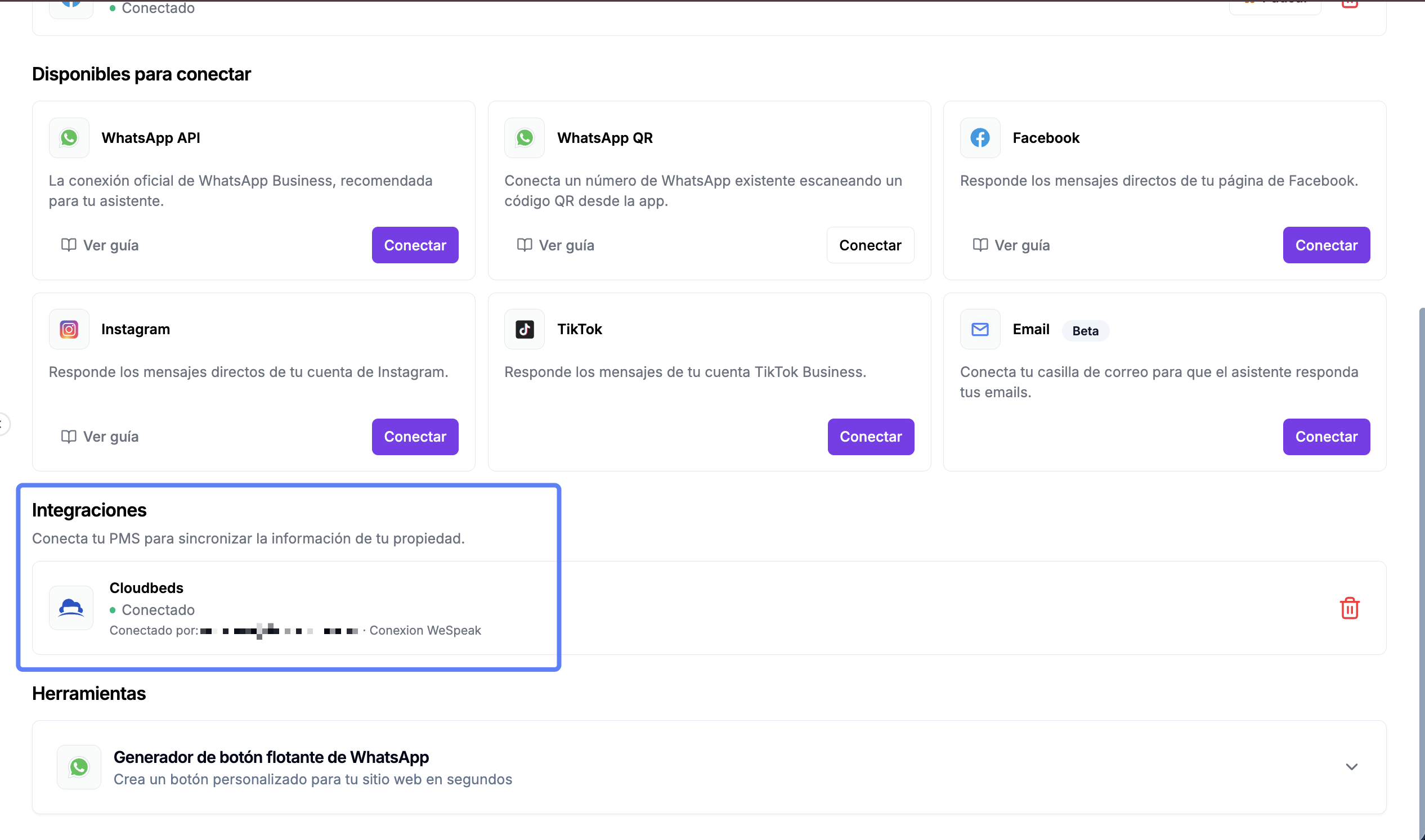
Log in to WeSpeak and select Channels in the sidebar. Scroll down to Integrations — "Connect your PMS to sync your property's information" — and click Connect on the Cloudbeds card.
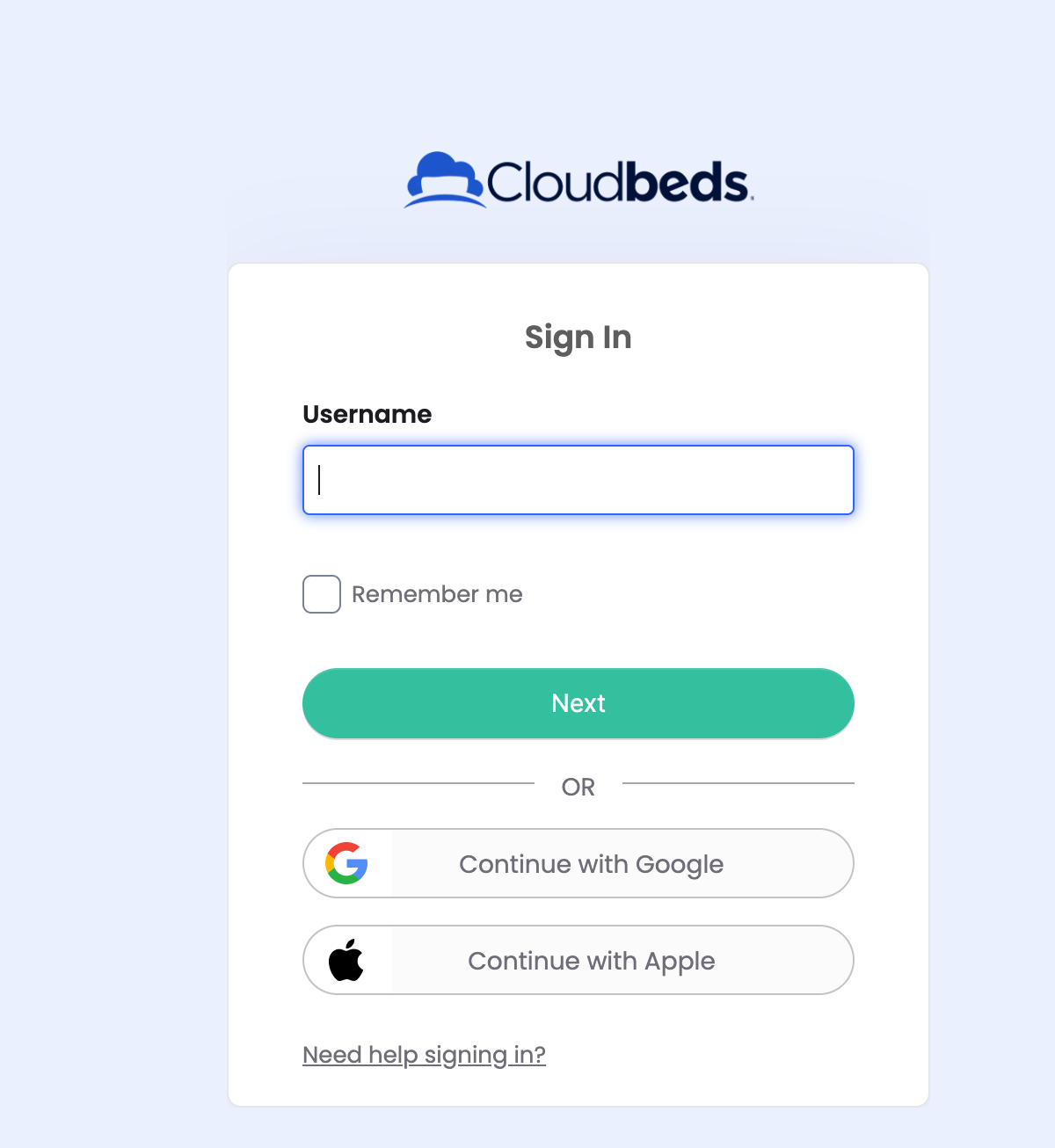
The Cloudbeds window opens: log in with the property's administrator account.
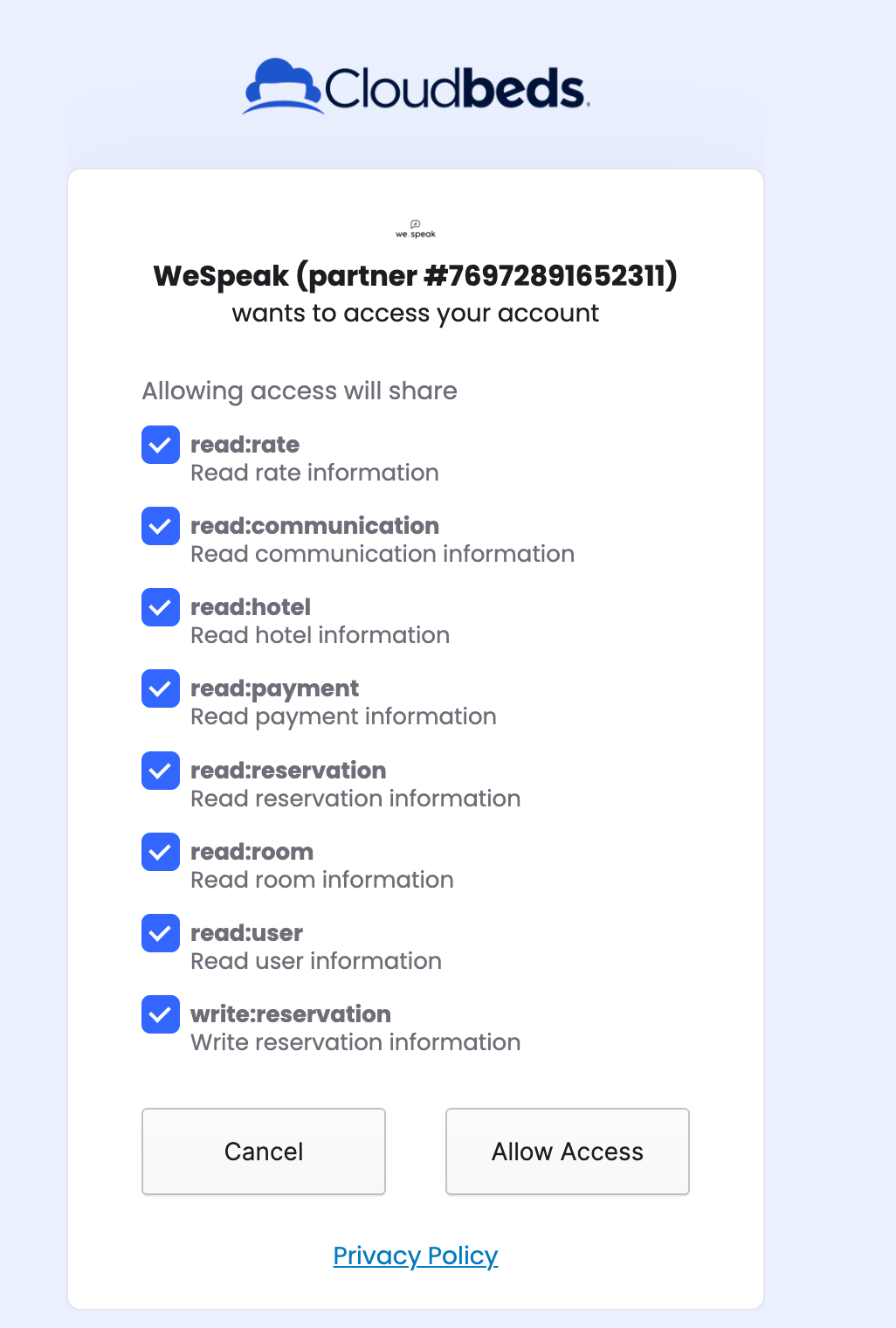
Review the permissions WeSpeak requests and click Allow Access.
You return to WeSpeak, where the Cloudbeds card shows a green dot and Connected, along with who authorized the connection. You're ready to go.
💡 About the rates provided by the API. Cloudbeds sends all rates configured at the hotel, both base and derived, without exception. Each property decides which ones to display: some use base rates too, while others use only derived rates. Since the API doesn't allow filtering on its side, the only way to hide a rate is with a filter within the integration — if you need to hide one, let your advisor know and we'll add it to the filter.
What the integration does
- Room information: the assistant uses your room details to inform guests.
- Prices and availability: it checks rates and inventory in real time when a guest asks, for example, "How much is a double room for Friday?"
- Conversational bookings: the assistant completes the booking within WhatsApp or your social channels. It collects all the details (room, rate, first name, last name…), generates a checkout link with that information and, as soon as the guest chooses a payment method, automatically records the booking and payment in Cloudbeds.
How to show "WeSpeak" as the booking source
This lets you see at a glance which bookings came from the assistant within Cloudbeds. You only need to set it up once:
- In Cloudbeds, add WeSpeak as a primary booking source (official guide: myfrontdesk.cloudbeds.com → How to add and edit primary and third-party booking sources).
- The name must be exactly WeSpeak — with a capital W and S, with no spaces or extra characters.
From then on, you can see which of your bookings come from WeSpeak.
Offer rates over chat that aren't in your booking engine
This is optional and useful when you want to give the assistant a rate exclusive to the conversational channel (a promotion or WhatsApp discount) without publishing it in your booking engine.
In Cloudbeds, include a mention of WeSpeak in the Rate Plan Name (Internal) field: any name you like, followed by "WeSpeak". For example, "Rate for wespeak", "Promotional rate - WeSpeak" or "Fall promotion - WeSpeak".
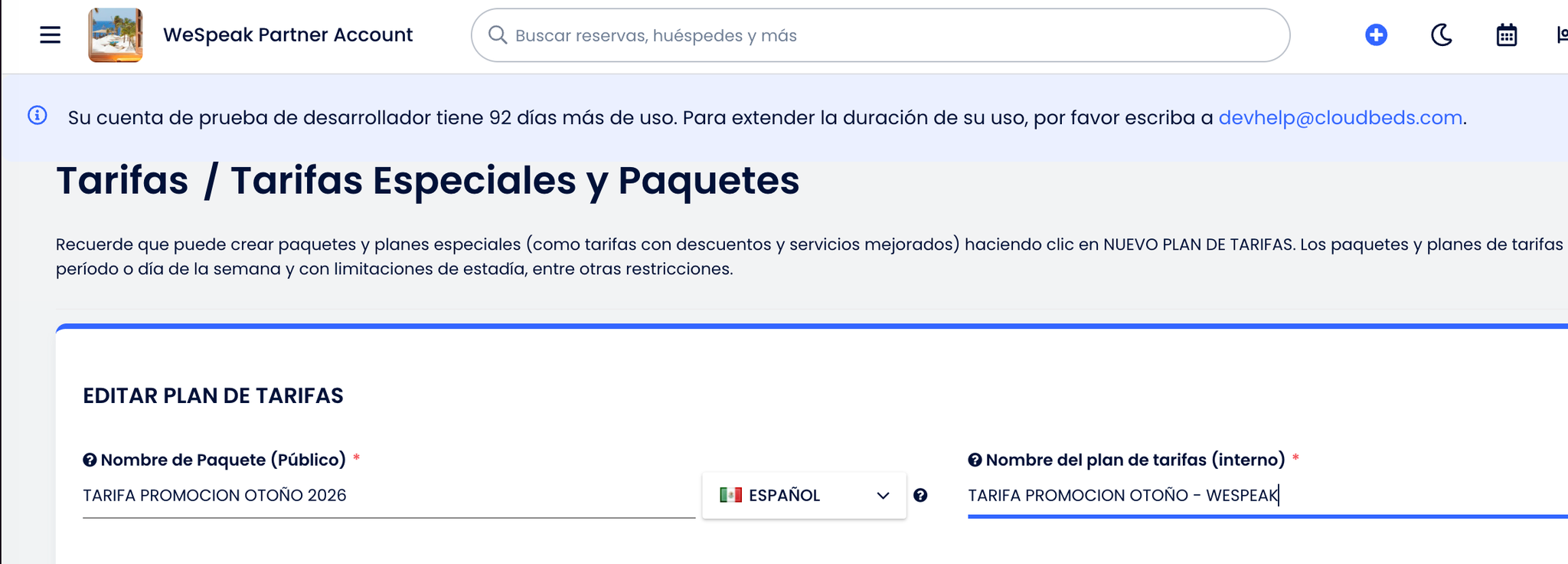
The integration will offer that rate plan in addition to all the ones you already publish in your booking engine.
Known limitations
- WeSpeak reads and creates bookings, but cannot modify or cancel them yet.
- Cloudbeds doesn't allow sending a different price from the one it has stored, so the integration always uses Cloudbeds' own prices. If you need promotions with custom prices, see the options in WeSpeak Rates with PMS.
How to disconnect the integration
From WeSpeak: go to Channels → Cloudbeds, click the trash icon 🗑️ and confirm. This removes the credentials stored in WeSpeak and lets you start the connection again.
From Cloudbeds: you can also revoke the connection from its dashboard, following its official guide (myfrontdesk.cloudbeds.com → How to disconnect an app from Cloudbeds PMS).
If Cloudbeds needs to be authorized again
These steps apply to the Cloudbeds PMS connection described in this article. Use them when support confirms that its authorization is no longer valid, for example, if Cloudbeds rejects access because the user who approved it is inactive. An availability failure alone doesn't confirm an authorization problem: WeSpeak investigates the cause before recommending reconnection.
To renew permission, someone at the hotel must log in with an active Cloudbeds account that has access to the property and permission to authorize the integration, and approve WeSpeak's access. The property's administrator can do this. If nobody has that access, the hotel's administrator must enable it first.
- In WeSpeak, go to Channels → Integrations → Cloudbeds and click Connect. If the card still shows Connected and support has already confirmed that you need to renew authorization, use that connection's trash icon, confirm the disconnection and click Connect again.
- In Cloudbeds, log in with the active account for the correct property. If the browser is still logged in to the previous account, log out before continuing.
- Review the permissions and click Allow Access. Sending us that person's email doesn't replace this step: authorization is completed within Cloudbeds.
- When you return to WeSpeak, let support know. The team checks that the connection has been saved and that the query that was failing works again; the Connected status alone doesn't confirm that the original problem has been resolved.
WeSpeak handles the investigation and helps restore the connection, including technical coordination with Cloudbeds if needed. The person with access to the hotel logs in and approves access; support cannot complete that consent using their email. If authorization fails again, share the error message with support so the team can continue investigating.
Frequently asked questions
Do you need my email to reauthorize Cloudbeds?
You don't need to send us your email to renew authorization. We may ask for it to identify or contact the person who will authorize the connection, but the email alone doesn't grant access or renew permission. That person must log in and complete Allow Access in Cloudbeds, following the steps above.
The user who connected Cloudbeds no longer works at the hotel. What should we do?
Let us know so we can check the integration's status. If authorization needs to be renewed, someone with an active account and the required permissions must reconnect the property. WeSpeak helps with the process and verifies the result; you don't need to send us that account's password.
Is there an extra charge for the Cloudbeds add-on?
No. Cloudbeds connectivity is included in all WeSpeak plans.
Do I need to activate Cloudbeds' Channel Manager?
No. The integration uses Marketplace OAuth and works even if you don't use its channel manager.
There's a rate I don't want to offer over chat. How do I remove it?
The Cloudbeds API sends all rates, so it's excluded using a filter within the integration: let your advisor know which one you want to hide and we'll add it to the filter.
Where can I see bookings that came in through chat?
In Cloudbeds, like any other booking (with WeSpeak as the source if you configured it). If a booking was completed in WeSpeak but didn't reach the PMS, you can resolve it from the Bookings section — see WeSpeak Rates with PMS for details.
Need help with the connection?
Email us at soporte@wespeak.pro or contact your WeSpeak advisor.