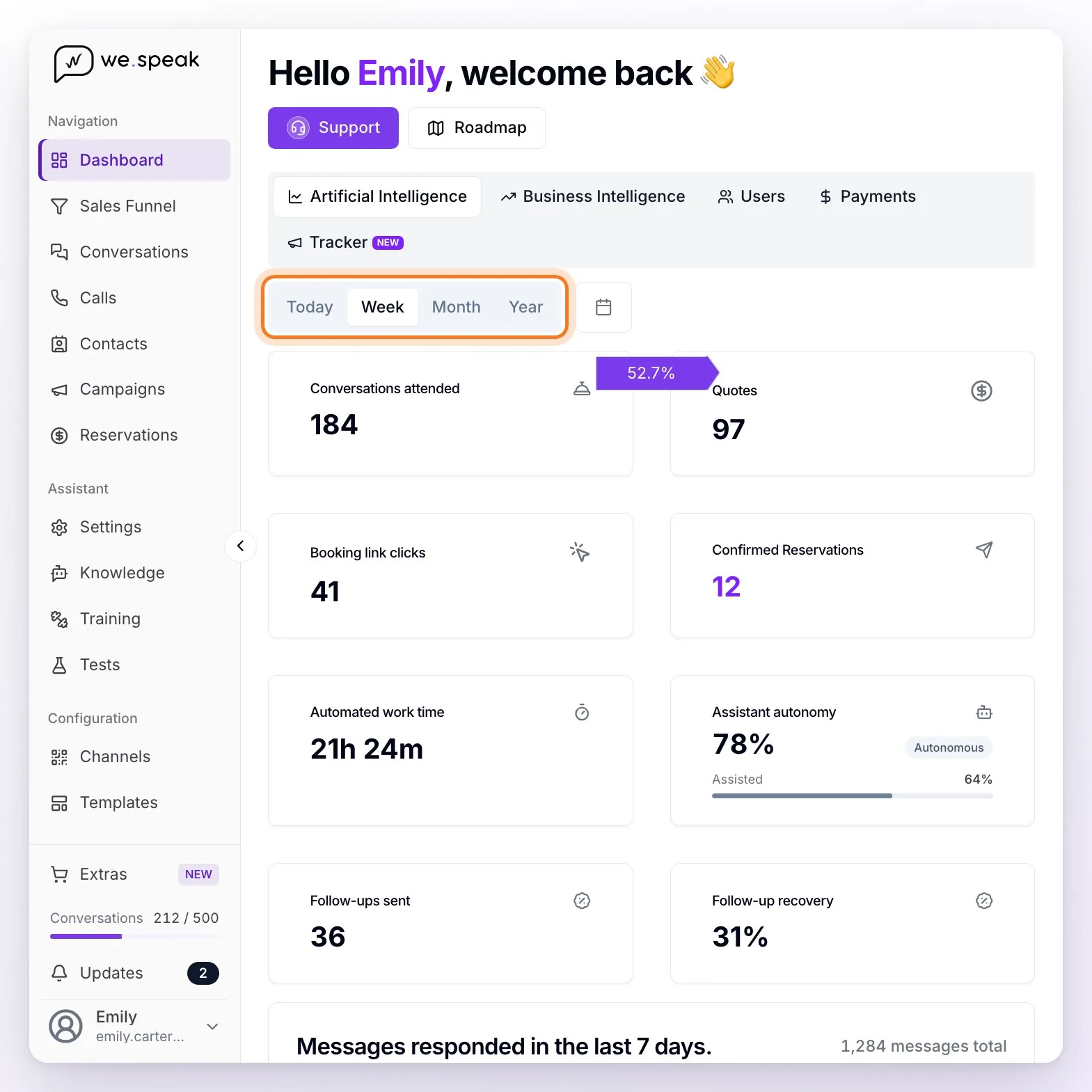
This is the Dashboard's main view (the Artificial Intelligence tab): it measures the assistant's performance. As in all the statistics sections, at the top, next to the tabs, you choose the period: Today, Week (the one it opens with), Month, Year, or a custom range with the calendar button. The period you choose is kept when you switch tabs, and everything is calculated in the time zone configured in your account.
ℹ️ Only users with the Administrator role see the Dashboard: the Supervisor and User roles don't have access (see Permissions and Roles).
The cards
| Card | What it measures |
|---|---|
| Conversations attended | How many conversations the assistant answered in the period: each contact it sent at least one message to counts once, however many messages they exchanged. Conversations handled only by your team don't count. |
| Quotes | The price and availability quotes the assistant made in the period. The purple label on its left edge is the percentage over Conversations attended. E.g.: 100 conversations and 40 quotes = 40%. |
| Booking link clicks | How many contacts clicked one of the booking links the assistant sent when quoting in the period (each contact counts once, even if they click several times). Its purple label is the percentage over quotes, not over conversations. |
| Confirmed Reservations | How many of those contacts ended up with a reservation created by the assistant and confirmed. Its purple label is the close rate: the percentage of clicks that ended in a confirmed reservation. It requires WeSpeak Payments or the Conversion Pixel: without either, the card appears locked with the label "Requires WeSpeak Payments" and the Activate WeSpeak Payments → link, which takes you to the Payments tab. |
| Automated work time | Messages the assistant answered × 1 minute per message. E.g.: 60 messages = 1 hour. It's shown in hours and minutes (for example, 21h 24m). |
| Assistant autonomy | How much it resolved on its own (Autonomous) and what share of the messages it answered when your team also stepped in (Assisted) — the detail is further down. |
| Follow-ups sent | How many conversations with activity in the period received an automatic follow-up from the assistant (the conversation is counted, not each follow-up message). |
| Follow-up recovery | Of those conversations, the percentage in which the guest wrote again after the first follow-up. |
ℹ️ If you have the Conversion Pixel active, the reservations card is called Attributed reservations: it adds up the reservations confirmed on the platform and the ones the pixel detected on your booking engine, and the help icon next to the title shows how many come from each side.
The purple labels: from conversation to reservation
Three cards carry a purple label with a percentage on their left edge. Together they make up the assistant's funnel, and each one is calculated over the previous step: Quotes (over conversations attended), Booking link clicks (over quotes), and Confirmed Reservations (over clicks). Hover over the label to see what it calculates.
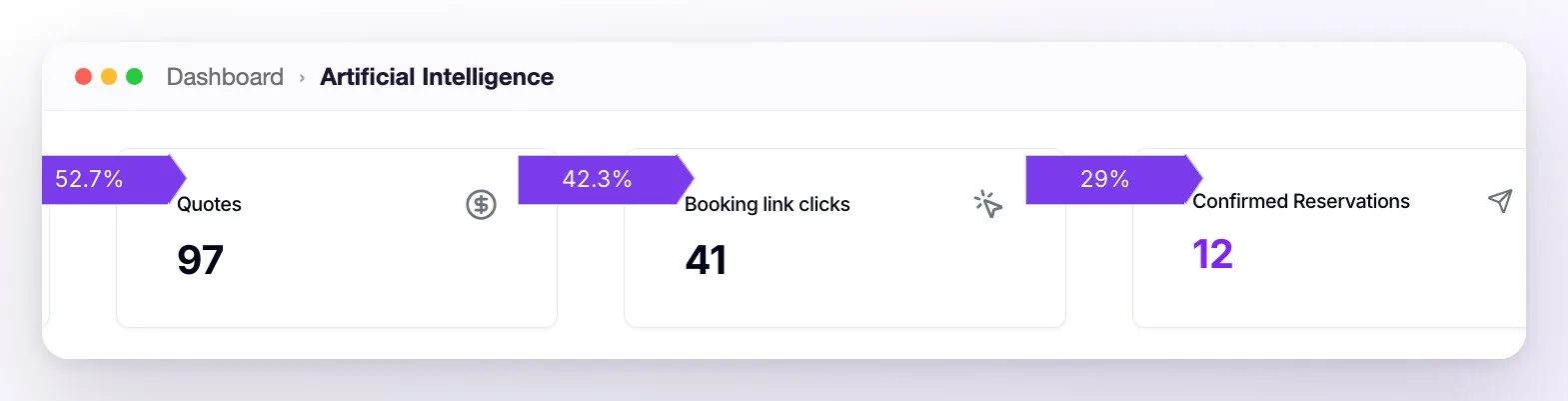
ℹ️ If your browser window is narrow and the cards fit in two columns, only the Quotes label is visible; with a wider window all three appear.
Assistant autonomy: the two numbers
The autonomy card shows two indicators calculated over different groups of conversations in the period:
| Indicator | Exact definition |
|---|---|
| Autonomous | Of the conversations the assistant participated in, the percentage resolved with no recorded human intervention (no one on your team replied in them during the period). |
| Assisted | In conversations where the assistant and a person from your team replied, the average percentage of messages the assistant answered (each conversation weighs the same). |
Hover over the card to see both definitions with the period's values.
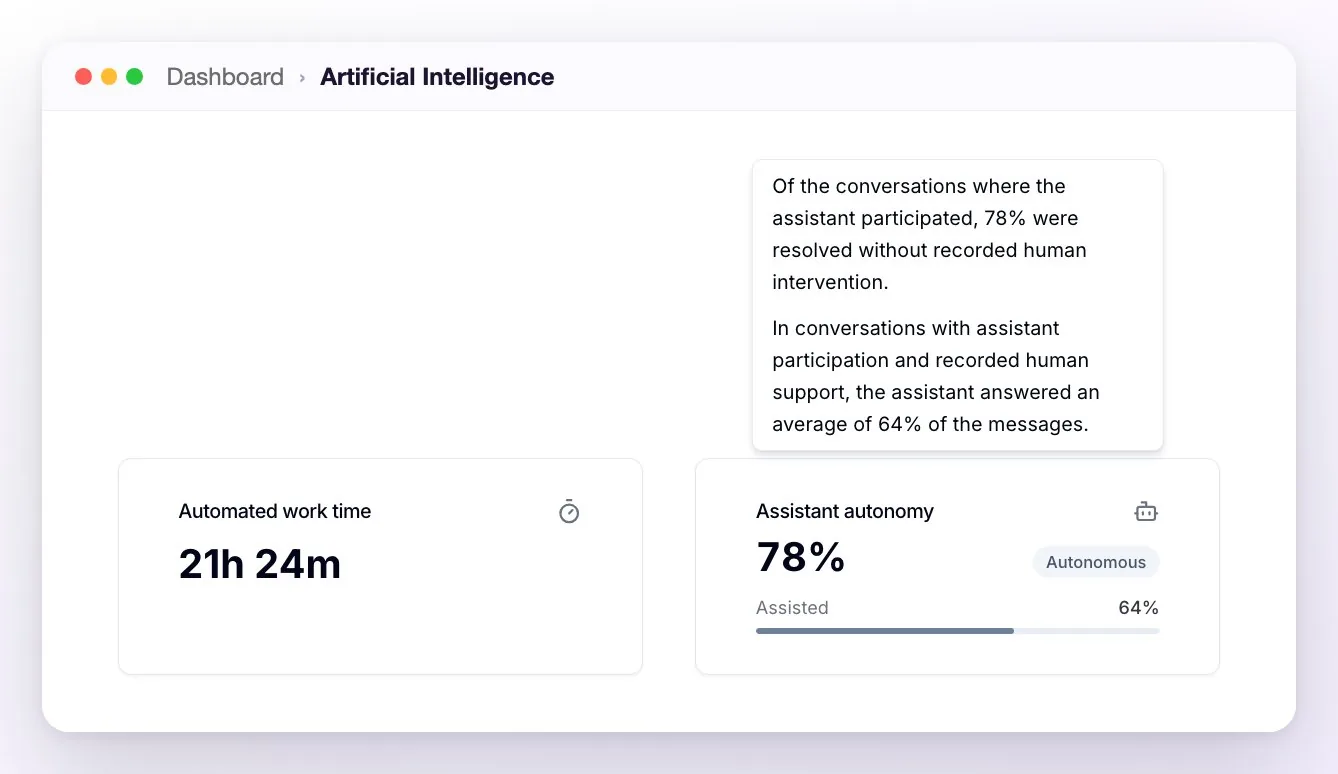
ℹ️ If the assistant didn't participate in any conversation in the period, the card indicates it with the message "The assistant did not participate in any conversations during this period.". If it participated but your team didn't step in on any of them, instead of Assisted you'll see "There were no conversations in this period with assistant participation and recorded human support.".
The messages responded chart
Below the cards, the Messages responded chart shows how many messages the assistant sent in each slot of the period: by hour with Today, by day with Week and Month (including today, so with Week you see eight bars), and by month with Year. The period total appears to the right of the title, and hovering over a bar shows its count.
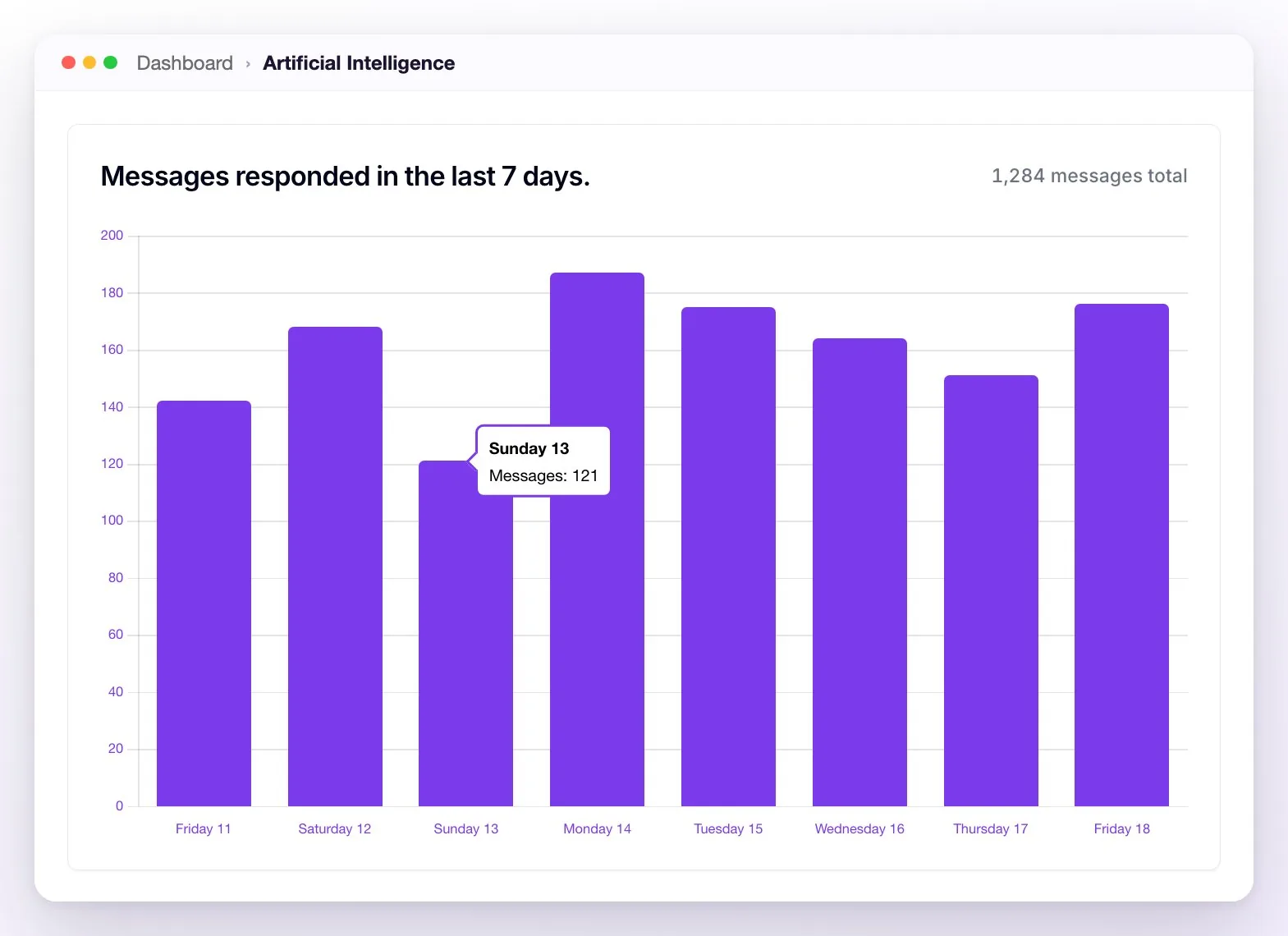
💡 How to read it: if autonomy is high and follow-up recovery is too, the assistant is sustaining the operation on its own; if quotes are high but booking link clicks drop, the bottleneck is in the step to booking.
Frequently asked questions
Quotes are high but Booking link clicks seem low, am I reading it wrong?
Remember that each percentage in the purple labels is calculated over the previous step: Quotes over conversations attended, Clicks over quotes, and Confirmed Reservations over clicks. 50% quotes and 30% clicks means that out of 100 conversations, 50 received a price and 15 clicked the link.
Is "Automated work time" a real measurement?
It's a standardized estimate: each message answered by the assistant counts as 1 minute of human work avoided. It's useful for comparing periods with each other, not as an exact stopwatch.
How many reservations did the assistant close?
With WeSpeak Payments you see it in Confirmed Reservations: the reservations the assistant created that were confirmed after the guest clicked the link, with the close rate in its purple label. With the Conversion Pixel, the card (Attributed reservations) also adds the bookings the pixel detects on your engine. Without either, the booking happens outside WeSpeak and the platform can only measure up to the booking link clicks. The total of reservations from every source — including the ones your team creates — is in the Payments tab (see Booking statistics).
What counts as "follow-up recovery"?
A guest who wrote again after receiving the first automatic follow-up from the assistant. Manual reactivations by your team (for example, with a template) don't count in this metric.
Can I export or download the Dashboard data?
Not for now: the Dashboard has no download button. What you can export today: your Contacts (Download button, to Excel, respecting the filters), the Sales Funnel (Download: an Excel file with one sheet per stage), Reservations (Download, to Excel), and the Calls history (download icon, Download CSV).