Not all channels allow the same things: each platform (WhatsApp, Meta, TikTok) sets its own rules. Here's what you can do on each one.
Quoting (replying to a specific message)
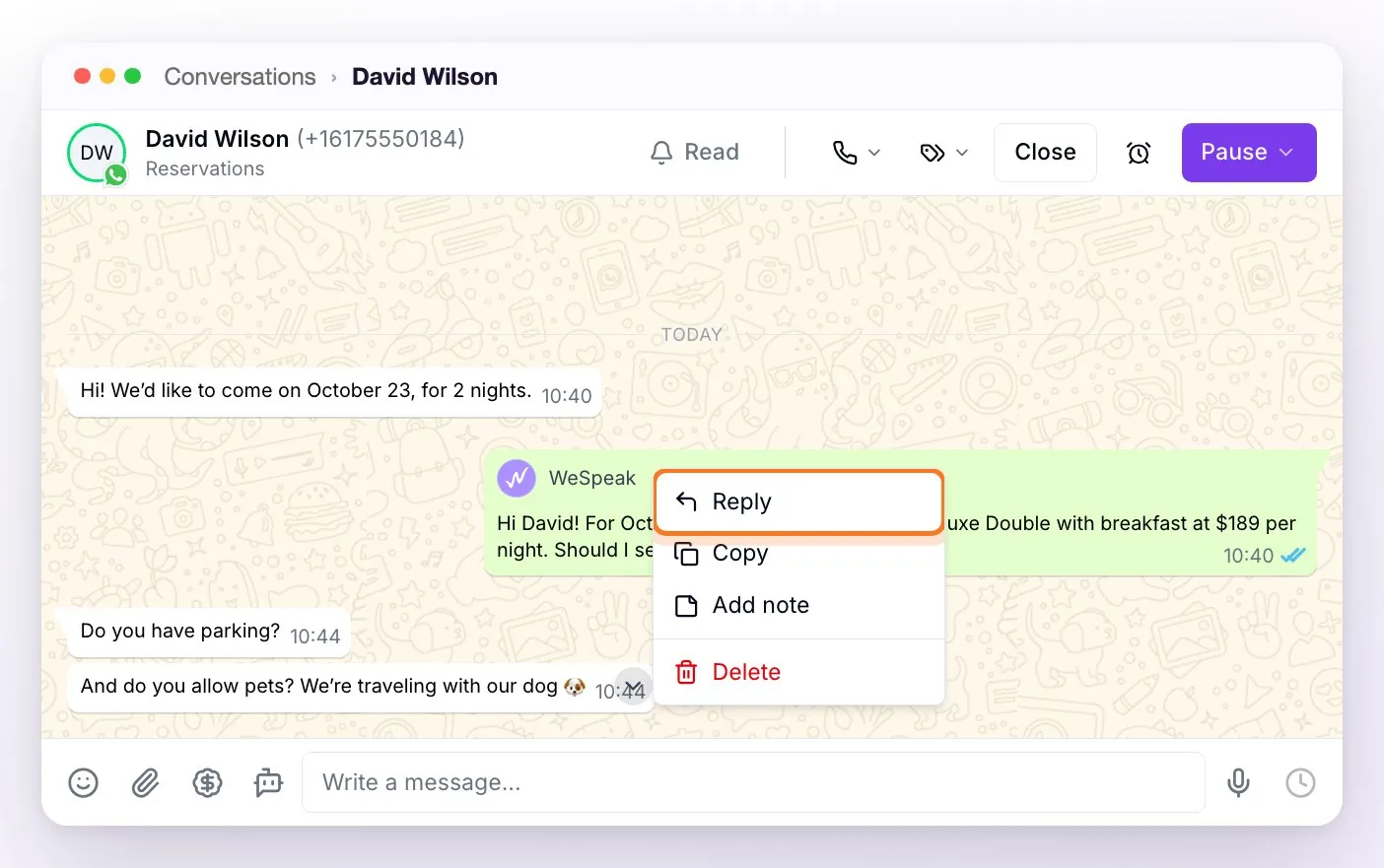
To quote, open the message menu — with a right-click or with the arrow that appears in the corner of the message when you hover — and choose Reply.
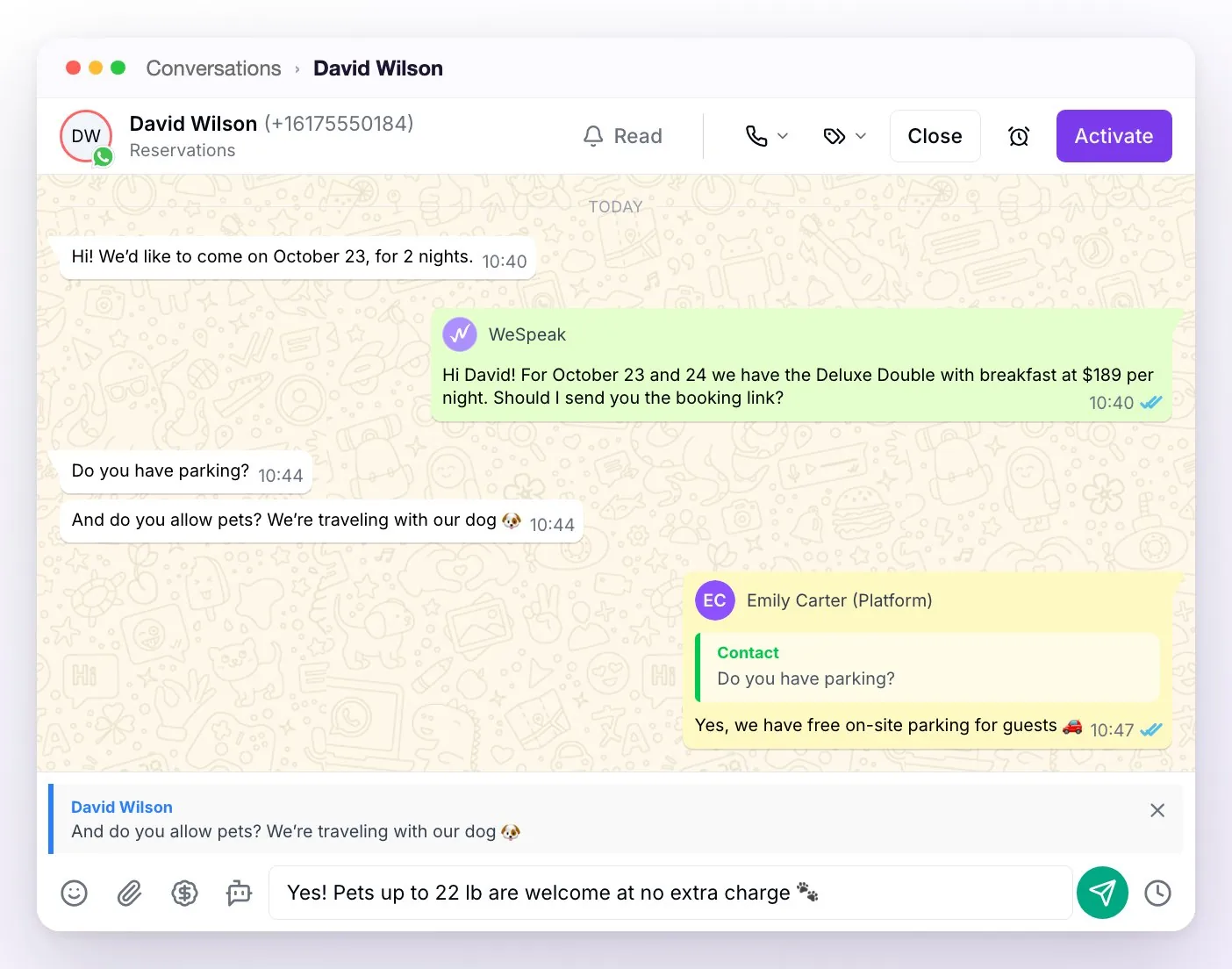
The quote appears above the compose box, with the name of whoever wrote the message, and you can cancel it with the ✕ (or with Esc) before sending. Once sent, it stays inside your message: click the quote to go to the original message, which the chat briefly highlights.
| Channel | Can you quote? |
|---|---|
| WhatsApp API (official connection) | ✅ Yes |
| Facebook / Messenger | ✅ Yes |
| TikTok | ✅ Yes, when you reply with text |
| ❌ No — that's why the Reply option doesn't appear | |
| WhatsApp QR | ❌ No |
| Chat Web | ❌ No — the visitor can quote a quote card by tapping More info or I'm interested |
ℹ️ Quotes made by the contact do show up on all messaging channels (if they quote a template, the quote is shown as [Template]). You can't reply to deleted or failed messages, or ones still being sent, nor to templates or quote carousels.
The assistant also understands quotes
When the guest replies by quoting a message, the assistant knows what they're referring to — even if they quote a photo with no text. If the quoted photo is of a room the assistant sent, it identifies which room it was and replies in context (e.g. the guest quotes a photo and asks "how much is this one?").
ℹ️ Edge case: if the quoted photo is very old (it fell outside the conversation's most recent messages), the assistant sees it as a generic photo and may need the guest to clarify which room they were talking about.
Deleting messages
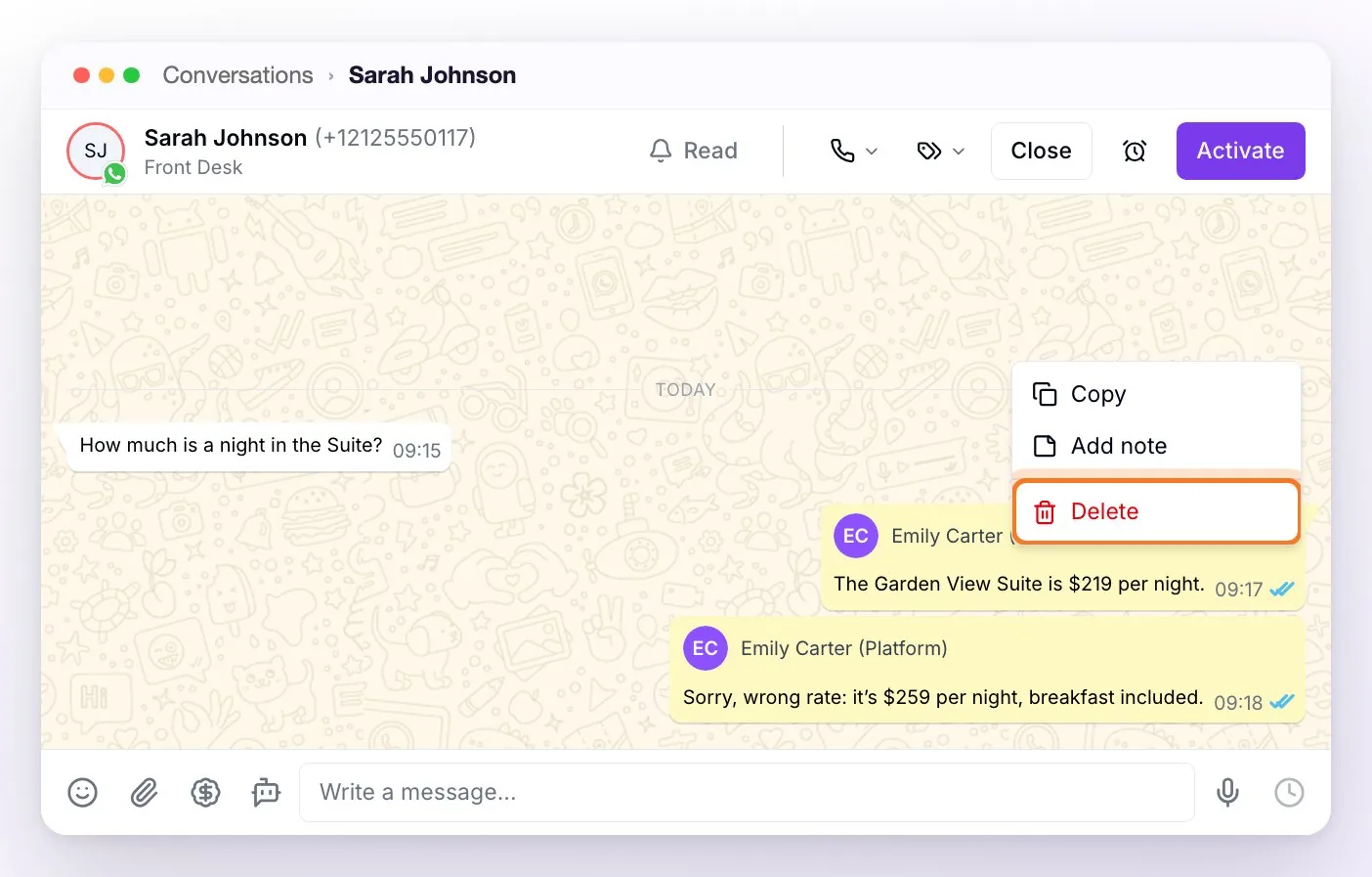
To delete, open the same message menu and choose Delete (it only appears when the channel allows it). Before applying the change, the confirmation "Delete message — Are you sure? This action cannot be undone." is shown.
| Channel | What you can delete |
|---|---|
| WhatsApp QR | ✅ Messages the hotel sent (your team or the assistant), within 60 hours — they're deleted from the contact's phone too (like WhatsApp's "delete for everyone"). Past that window, the option disappears. |
| WhatsApp API | ⚠️ Only messages from the contact, and only from your panel (useful for removing spam or offensive content from the team's view). The contact still sees it on their phone — WhatsApp doesn't allow platforms to delete messages on the customer's side. |
| Instagram / Facebook / TikTok / Email / Chat Web | ❌ Can't be deleted: the Delete option doesn't appear on these channels. |
ℹ️ There's no separate "hide" option: the closest thing is panel deletion on WhatsApp API, which removes the message from your view without affecting the contact.