The Users section of the Dashboard measures the work of your human team: what each person does from WeSpeak. It uses the same period filters as the Dashboard.
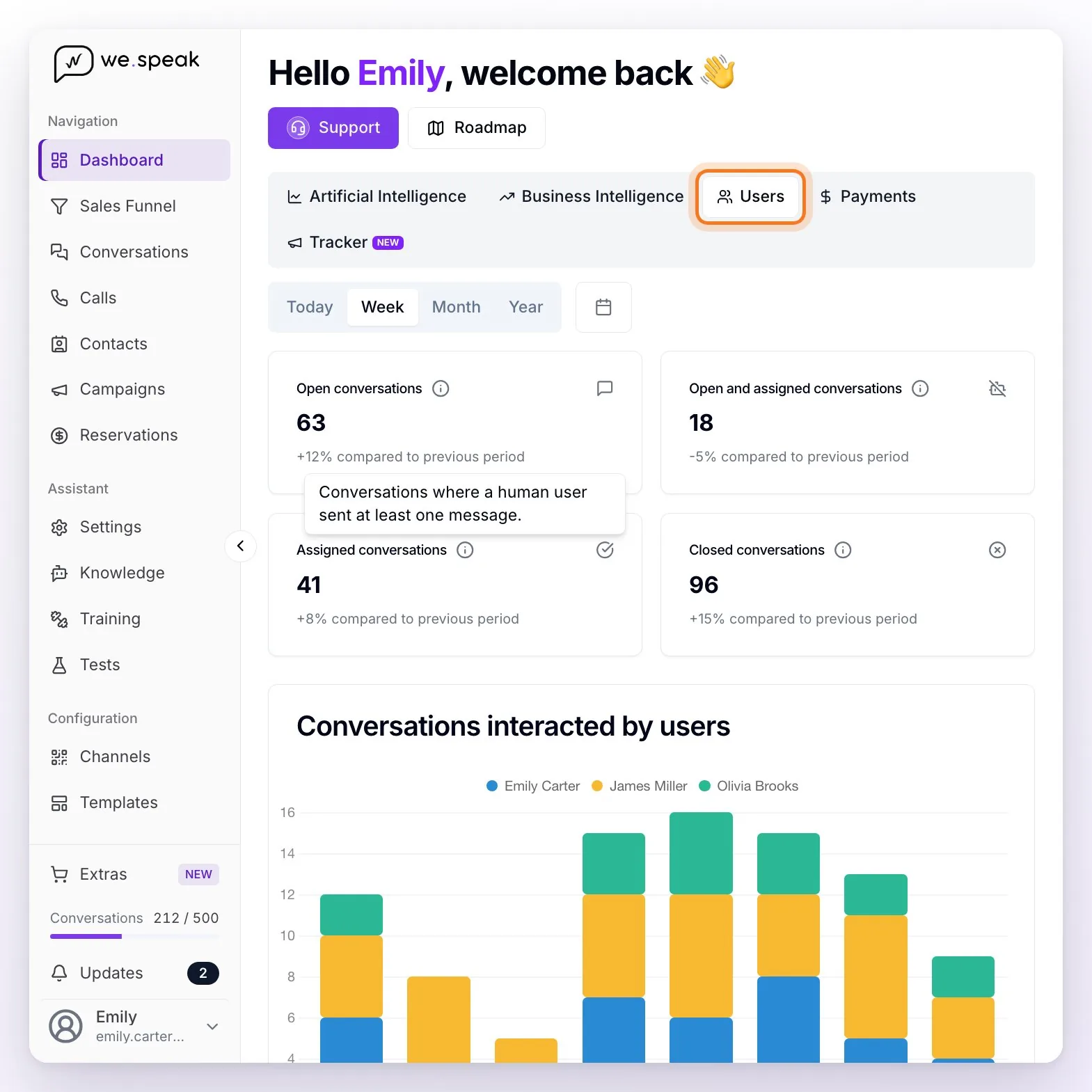
The cards
There are four. Each has its info icon (hover over it to see what it counts) and, with Today, Week, Month, or Year, the comparison against the previous period of the same length ("X% compared to previous period"); with a custom date range the comparison isn't shown.
| Card | What it counts exactly |
|---|---|
| Open conversations | Conversations that appear as open in the Conversations inbox and had activity in the period. |
| Open and assigned conversations | Of those, the ones with the assistant paused, that is, available for your team to handle (it doesn't depend on anyone being assigned). |
| Assigned conversations | Conversations in which a person from your team sent at least one message from WeSpeak in the period. |
| Closed conversations | Conversations that were closed in the period and are still closed. |
The charts
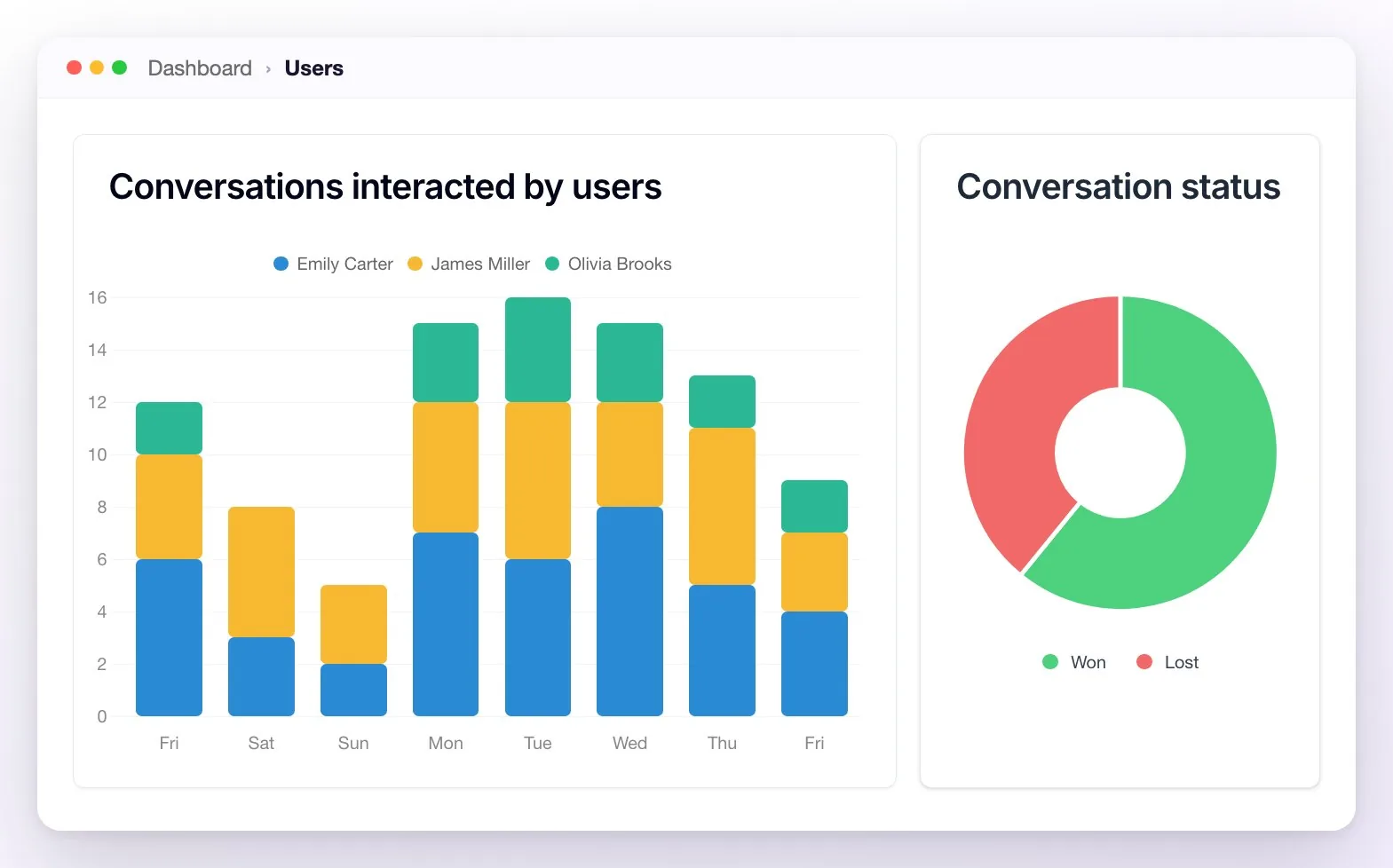
- Conversations interacted by users: how many different conversations each person sent messages in from WeSpeak on each day of the period (by hour with Today, by month with Year), in stacked bars with one color per person and the legend on top.
- Conversation status: the split between Won and Lost among the conversations that were closed in the period.
The table by user
The "Conversation statistics by User" table compares your team. Everyone on the team appears, even at zero; you can look someone up with Filter users... and sort by any column (at first, by Assigned, highest first):
| Column | What it shows |
|---|---|
| User | Each team member. |
| Assigned | Conversations assigned to that person that had activity in the period. |
| Won / Lost | Of their assigned conversations, the ones closed in the period as Won or as Lost. |
| Unread | Of their assigned conversations, the open ones with unread messages. |
| Messages sent | How many messages they sent from WeSpeak in the period. |
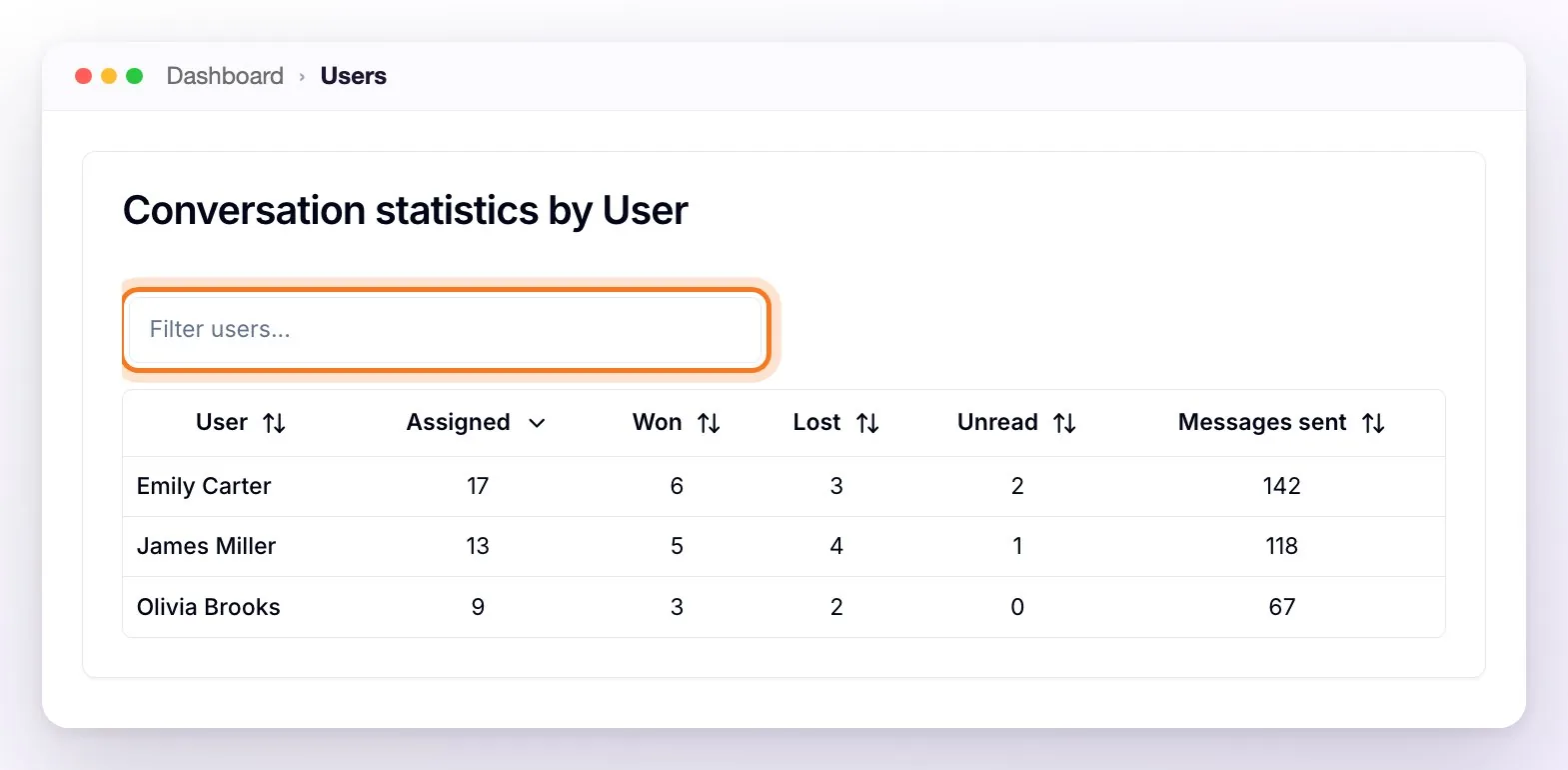
💡 How to read it: many assigned with few won may indicate overload; many unread for one person is a sign to redistribute.
Frequently asked questions
What does "Won" or "Lost" mean exactly?
It's the customer status of each conversation: it's marked by dragging the lead to the Won/Lost zones of the Sales Funnel, by passing through a stage configured as "won", from the conversation's State section, or when the AI detects it. In this section, also, a Won or Lost conversation only counts once it's closed within the period: if it's still open, it doesn't appear yet. If you see wins in the chart and "0" in another view, it's usually because of that or the period or filter applied — check the date range.
Why does a person have messages sent but no assigned conversations?
Because they're different things: Messages sent counts everything the person wrote from WeSpeak, and Assigned, only the conversations assigned to them. If they reply to conversations assigned to someone else or unassigned, they add messages but not assigned conversations. With Auto-assignment of users turned on (in Settings), replying to a conversation with no one assigned assigns it to them.